polytess Studio

Describe your process.
Get your workflow.

polytess Studio is an AI-powered visual workflow studio for engineering computations. Simulation and analysis processes — from model preparation through solver runs to post-processing — are assembled as a node graph from reusable building blocks instead of being scripted. And the fastest way to a finished workflow is a single sentence.

From a sentence to a running pipeline.

01

The visual workflow editor

Build computation processes as a node graph: action nodes run blocks in sequence, condition nodes branch via success/fail ports. The inspector on the right edits the selected node's payload, the blackboard on the left holds variables and lists — here a modal-reduction pipeline with automatic HPC submission.
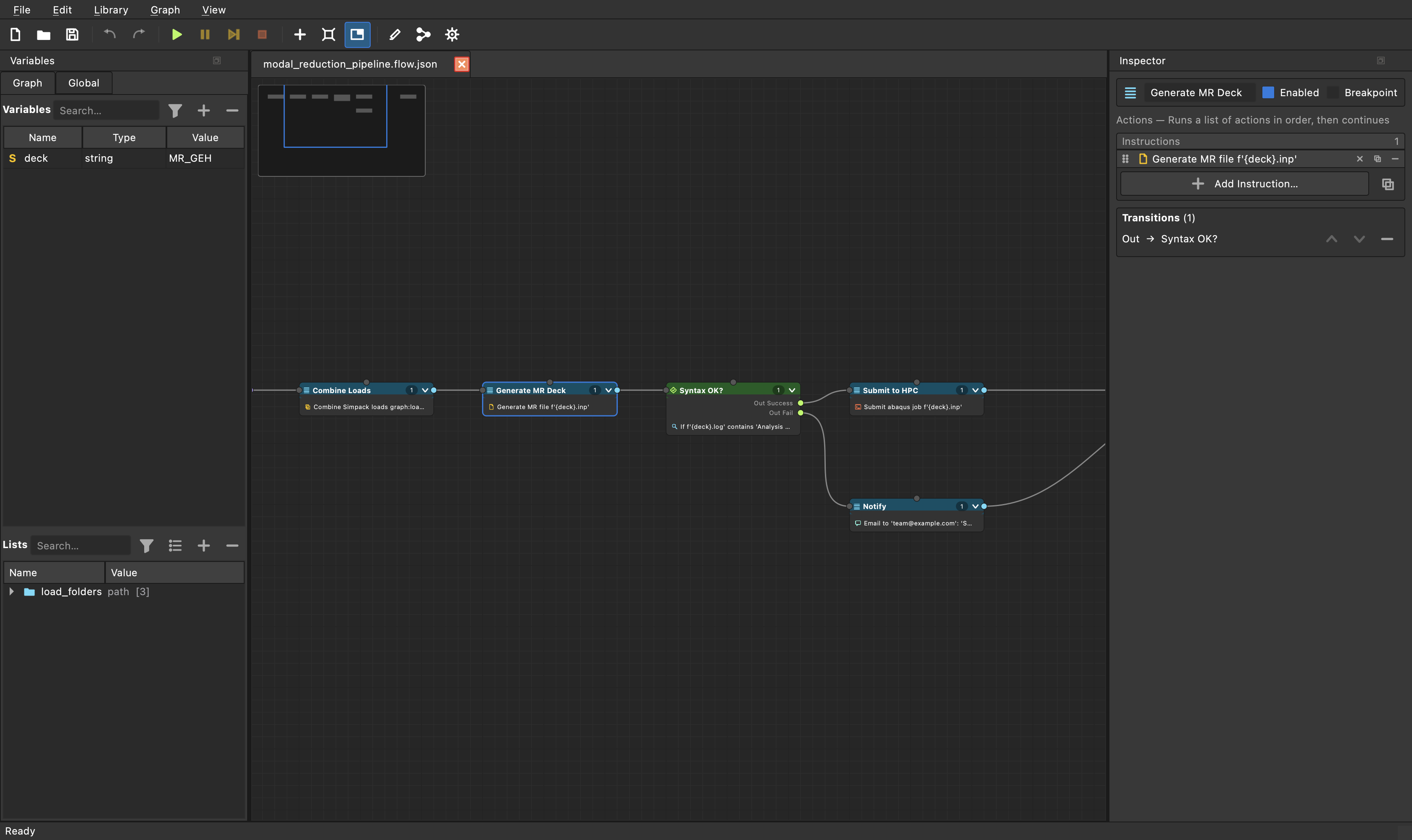
polytess Studio workflow editor showing a modal reduction pipeline as a node graph with inspector and blackboard panels
02

Watch your workflow run

Live execution highlighting: completed nodes turn green, the currently running step glows blue, and every block reports to the log — combined loads, generated decks, submitted jobs. Breakpoints, pause and single-step make workflows debuggable like code.
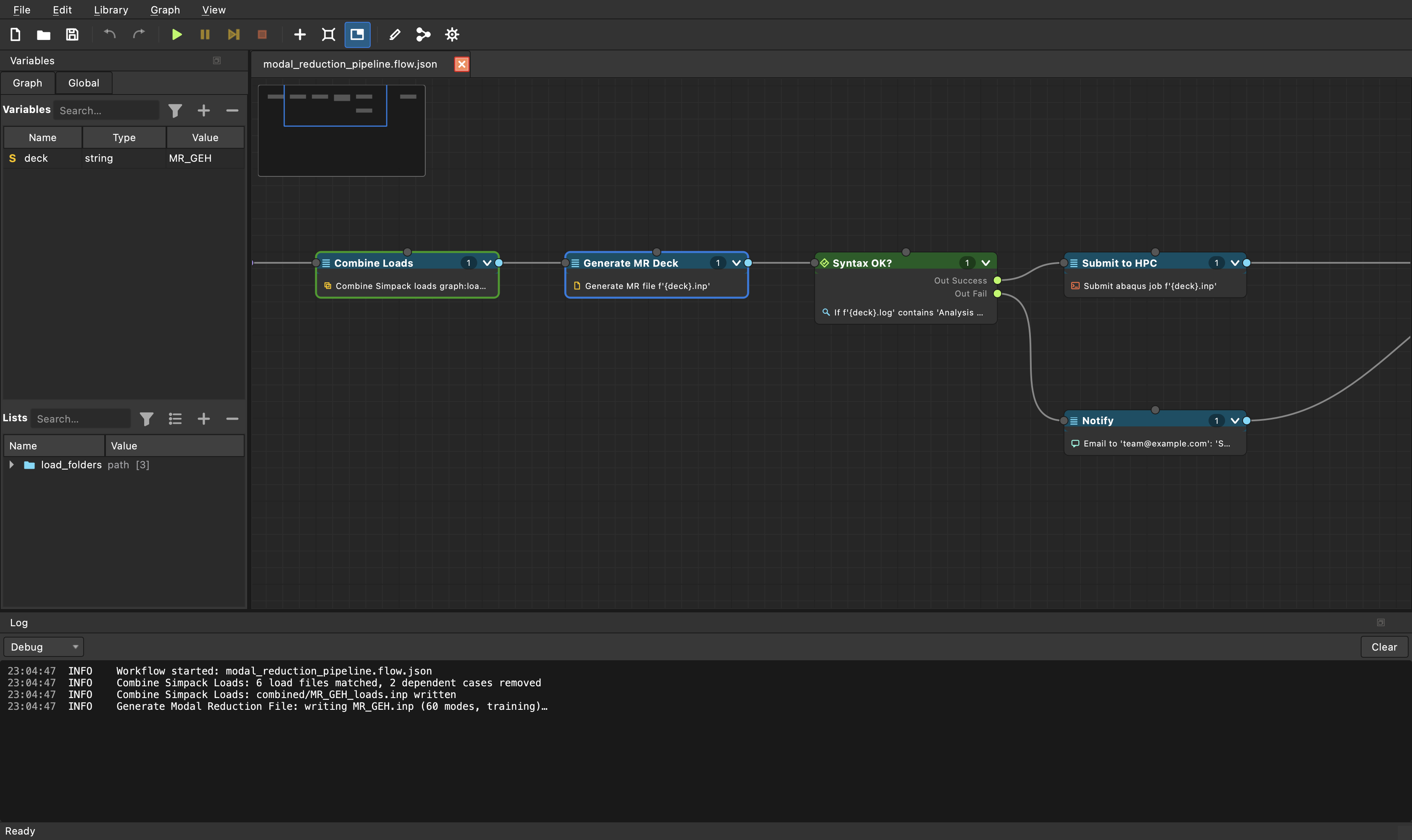
polytess Studio live execution view with highlighted running nodes and log output
03

From prompt to workflow

The AI flow assistant in action: describe your process in plain language ("Combine the Simpack loads, generate the reduction deck, check the syntax…") and the assistant designs the complete workflow — variables, branching and all. One click on "Insert flow" opens it on the canvas, ready to run.
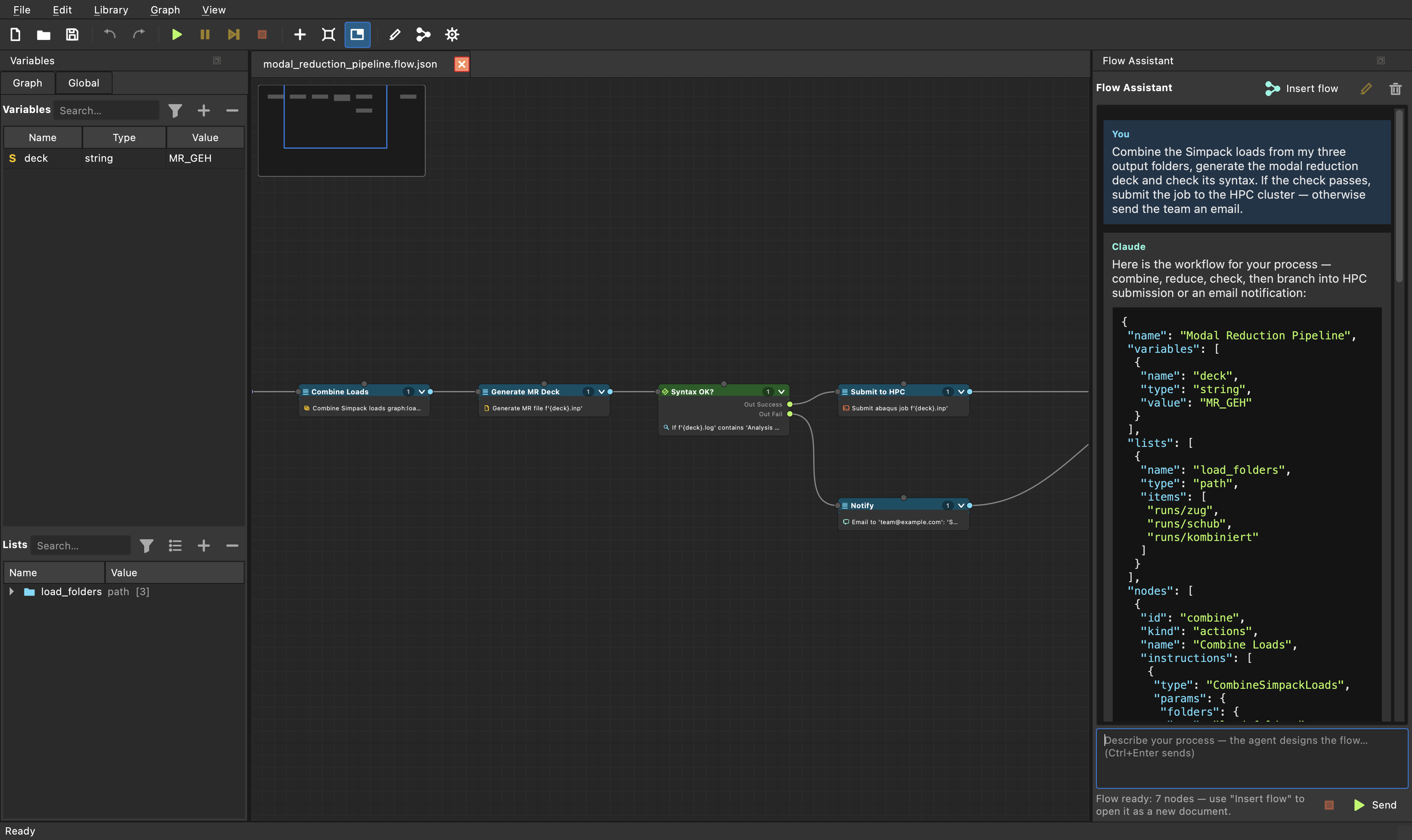
polytess Studio AI flow assistant turning a plain-language description into a complete workflow
04

Extend polytess with AI-generated blocks

The built-in code editor with syntax highlighting and the AI code assistant: ask for a new building block and get a complete, ready-to-save Python class. Saving hot-reloads it into the studio — no restart, it appears in the Add menus immediately.
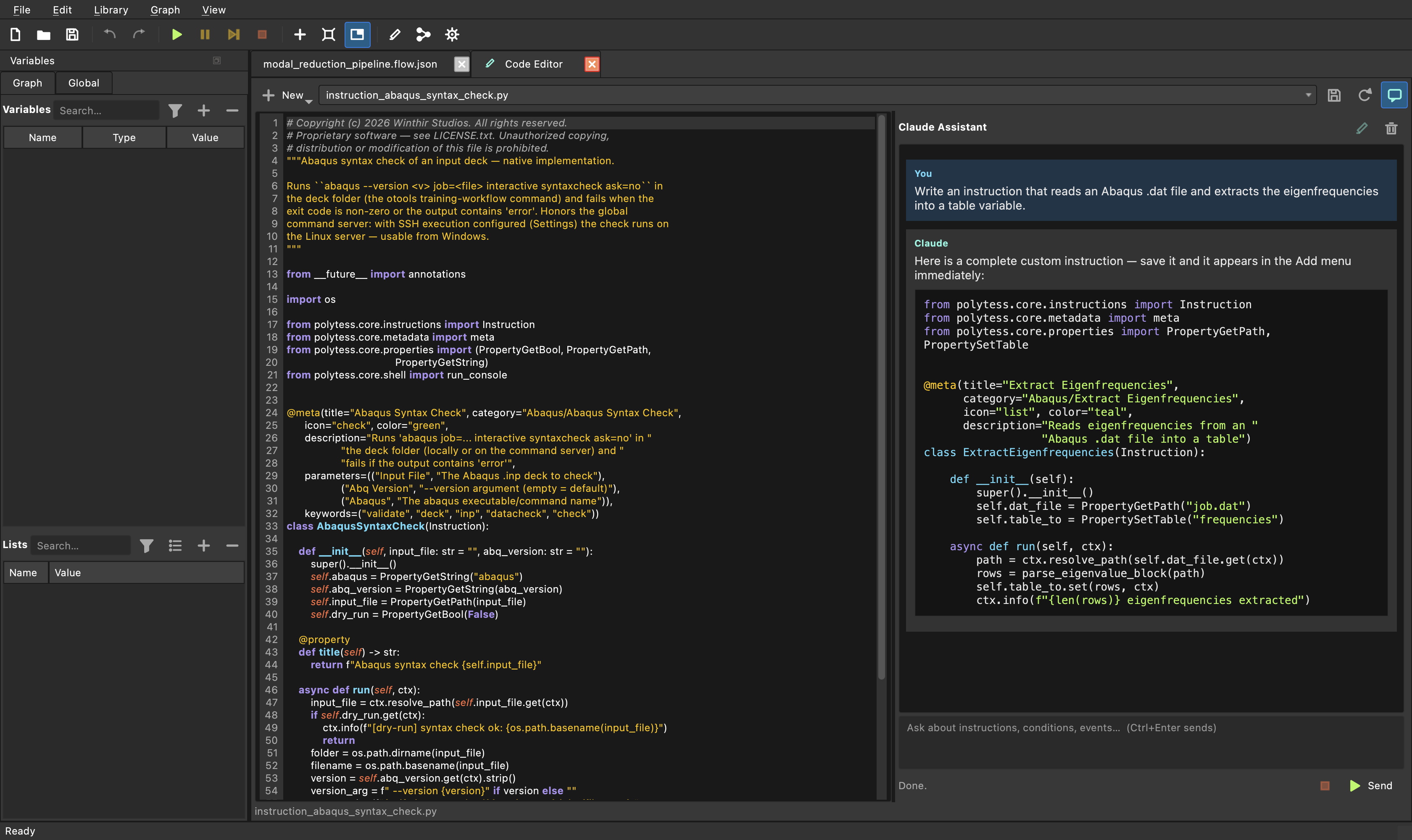
polytess Studio built-in code editor with AI code assistant generating a custom Python building block
05

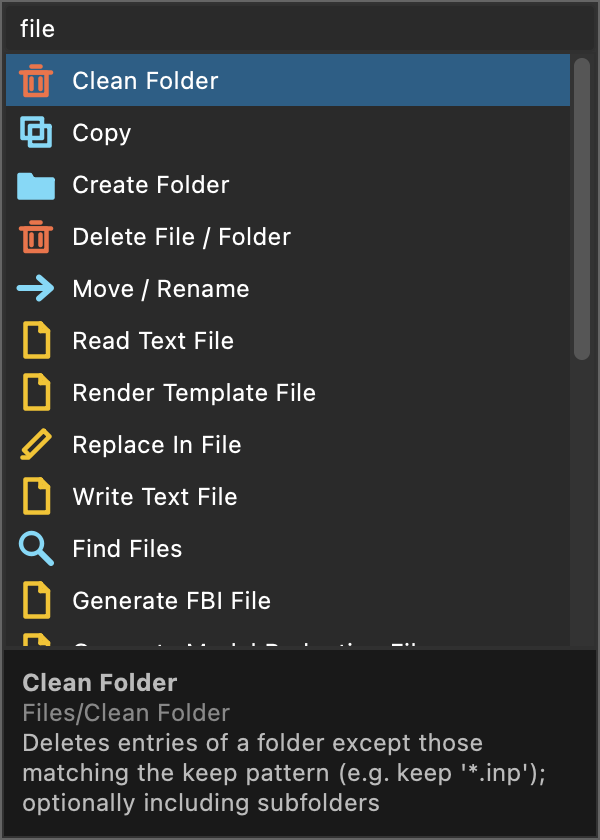
90+ searchable building blocks

The block catalog with fuzzy search: file operations, templating, tables, loops, solver and HPC integration — each block with icon, category and live description footer.
polytess Studio block catalog with fuzzy search showing file operation blocks
06

Branch, test, promote

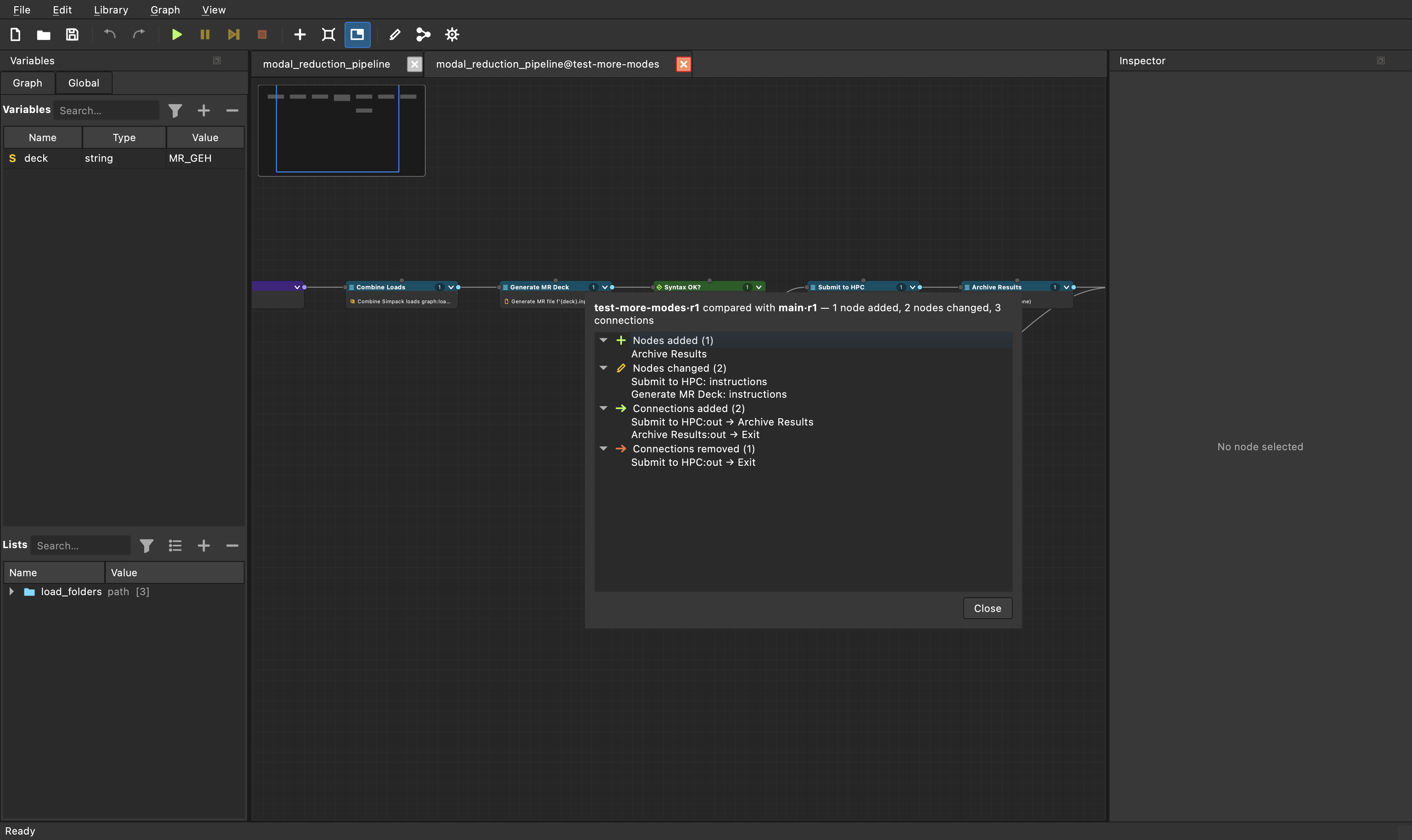
Every flow knows its family: create a branch, try more modes or different HPC settings, and compare it with its parent — node by node, parameter by parameter. Promote the winner back; every previous state is kept as an automatic history snapshot. No version-control knowledge required.
polytess Studio branch comparison dialog showing nodes added, changed and connections between a test branch and its parent
07

Documentation at the click of a button

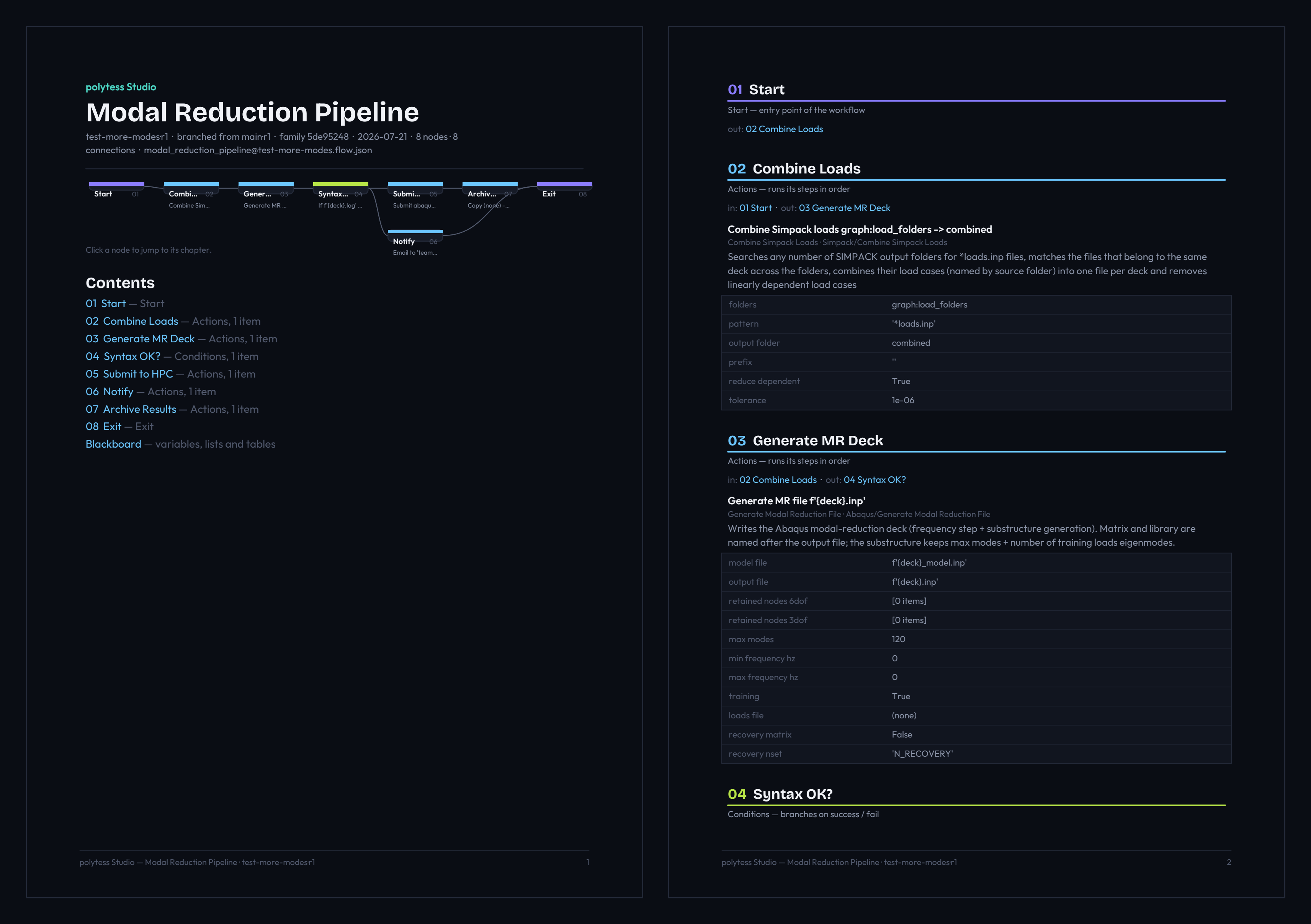
Every flow can document itself: one click exports a polished, fully linked PDF — a clickable diagram where each node jumps to its chapter, a table of contents, and one numbered chapter per node with its steps, parameters and cross-linked connections. Branch, revision and ancestry are right on the cover, so the document always says exactly which state it describes. Perfect for design reviews, hand-overs and audit trails.
polytess Studio self-generated PDF documentation with clickable flow diagram, table of contents and per-node chapters

Everything a computation engineer's day needs.

Workflows from a Prompt

The built-in AI flow assistant turns a plain process description into a complete, immediately runnable workflow — with the right building blocks, branching and variables. One click inserts it as a new document.

AI-Generated Extensions

Missing a building block? The AI code assistant generates it as a ready-to-use Python block that appears in the menus instantly — hot reload, no restart. Both assistants know the complete block catalog and the polytess conventions.

Live Visual Execution

Nodes light up as they run — running, ok, failed. Breakpoints, pause and single-step make workflows debuggable like code, without any programming.

90+ Ready-Made Blocks

File and folder operations, input-file templating, CSV/tables, loops, notifications — plus solver integration (Simpack, Abaqus, FEMFAT), HPC job management via SSH, DOE studies, and event-driven triggers (timer, file changes, dates).

One Workflow, Two Worlds

The same workflow runs in the desktop studio (Windows, Linux, macOS) and headless from the command line on compute servers — ideal for overnight batch runs.

Traceable & Team-Ready

Workflows are stored as diff-friendly JSON, variables, lists and tables are managed centrally on the blackboard, and settings can be configured team-wide.

Branch, Test, Promote

Branch a flow, try different settings, and compare it with its parent node by node. Promote the winner back — every previous state is kept as an automatic history snapshot. No version-control knowledge required.

Self-Documenting Flows

One click exports a polished, fully linked PDF — clickable diagram, table of contents, one chapter per node with parameters and connections. Branch, revision and ancestry on the cover. Perfect for design reviews, hand-overs and audit trails.

polytess Studio is open on GitHub.

Source code, builds and releases for Windows and Linux live in the GitHub repository.

View on GitHub

Interested in polytess Studio?

Whether you want a demo for your simulation team, early access, or just have questions — drop us a line. We're engineers ourselves; we speak your language. Already using polytess? Open a support ticket.

info@winthirstudios.com